A five-minute monthly review in Insights
Three numbers to check at the end of every month, and where to find each of them in Dribs.
Most of us check our bank balance far more often than we check whether the month went well. A balance tells you what's there today. It doesn't tell you whether you're getting ahead, and that's the question a monthly review answers. With your transactions already in Dribs, it takes about five minutes.
Do it on the first or second day of the new month, when the month you're reviewing is complete. Dribs treats a month in progress as unfinished on purpose: the Savings card says "Not over yet" until it's done.
The three numbers
-
Net: did more come in than went out?
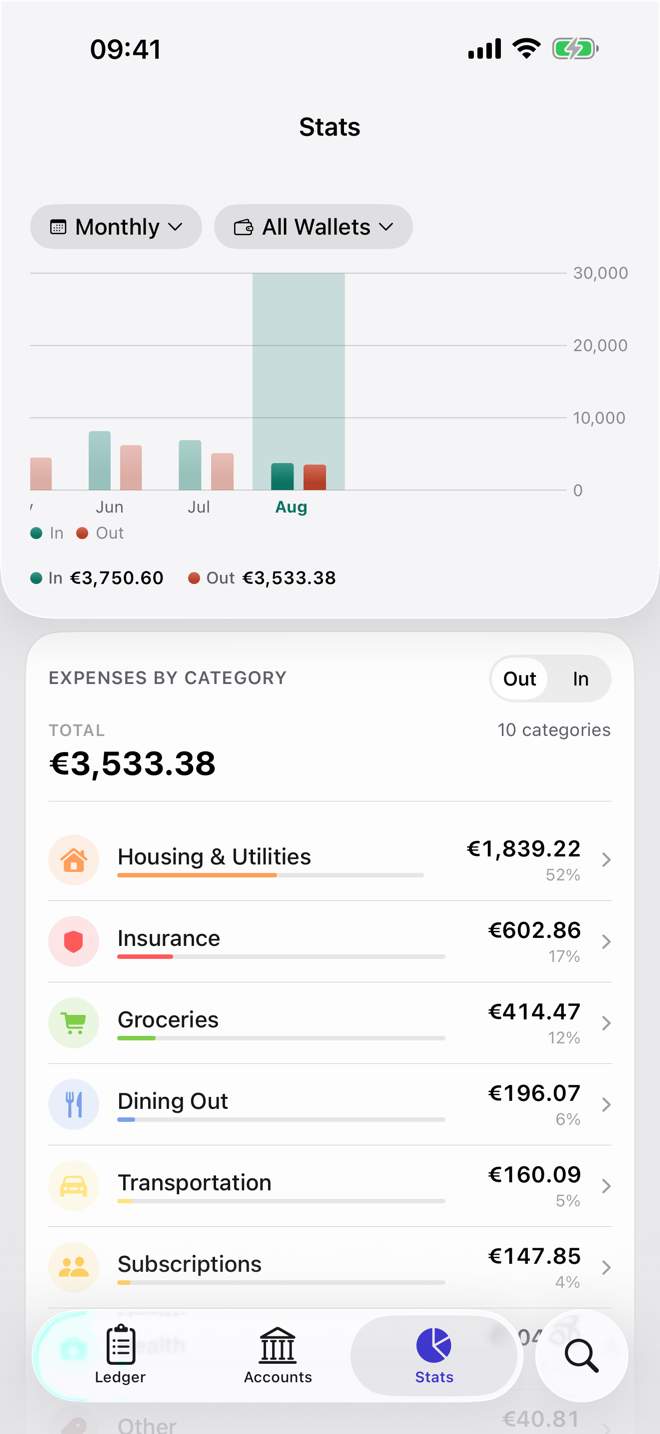
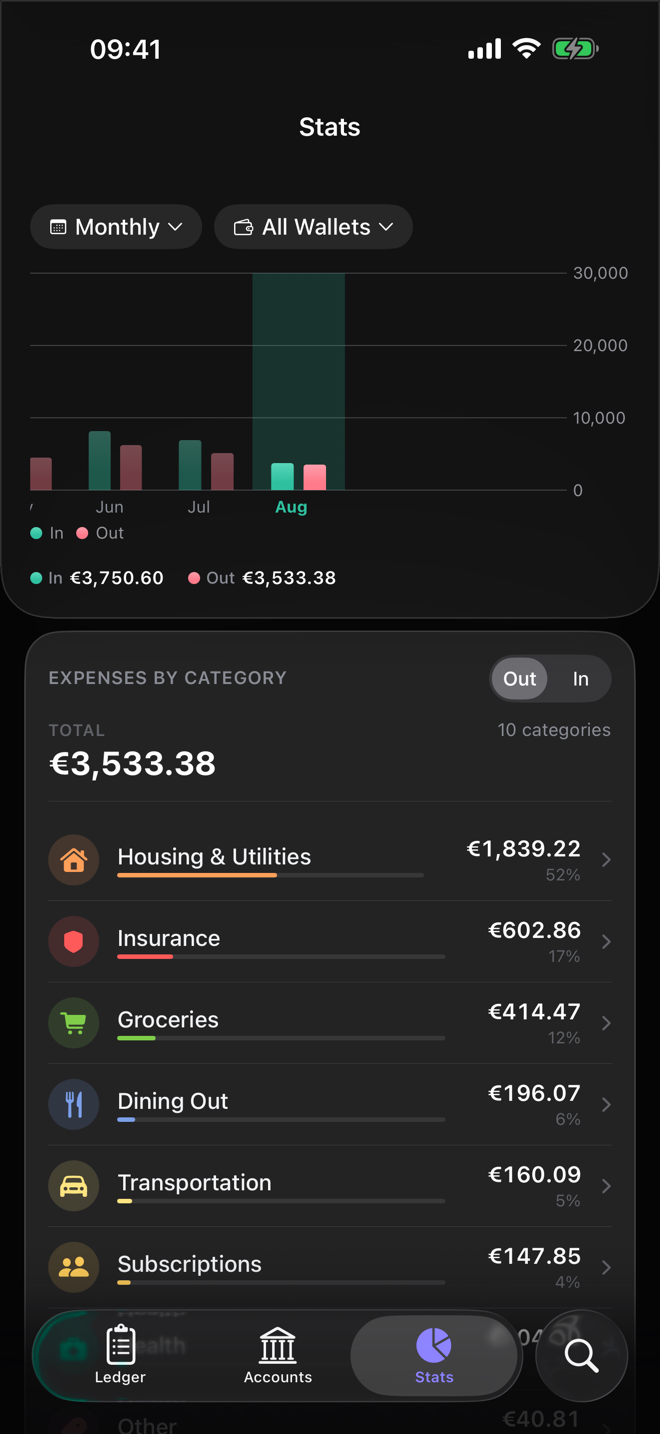
Open Insights. The chart at the top shows money in and out for each month. Tap last month's bar and you get In, Out and Net. Net is the one to look at. Transfers between your own accounts don't count either way, so moving €500 into savings doesn't look like spending.
-
Your biggest categories, against last year
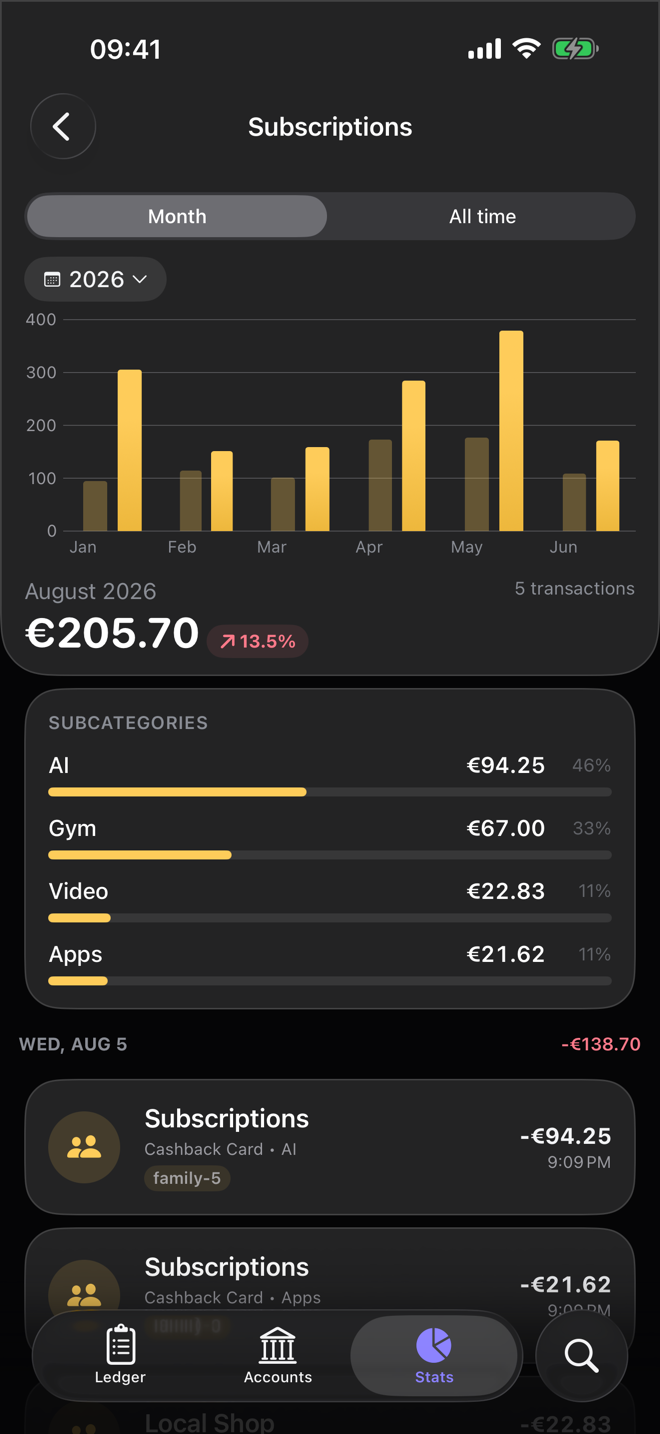
Below the chart, Expenses by Category ranks last month's spending. Tap the top category. Its chart puts each month next to the same month a year earlier, which is a fairer comparison than the month before: heating costs more in January than in July, every year.
-
Total Wealth over the last month
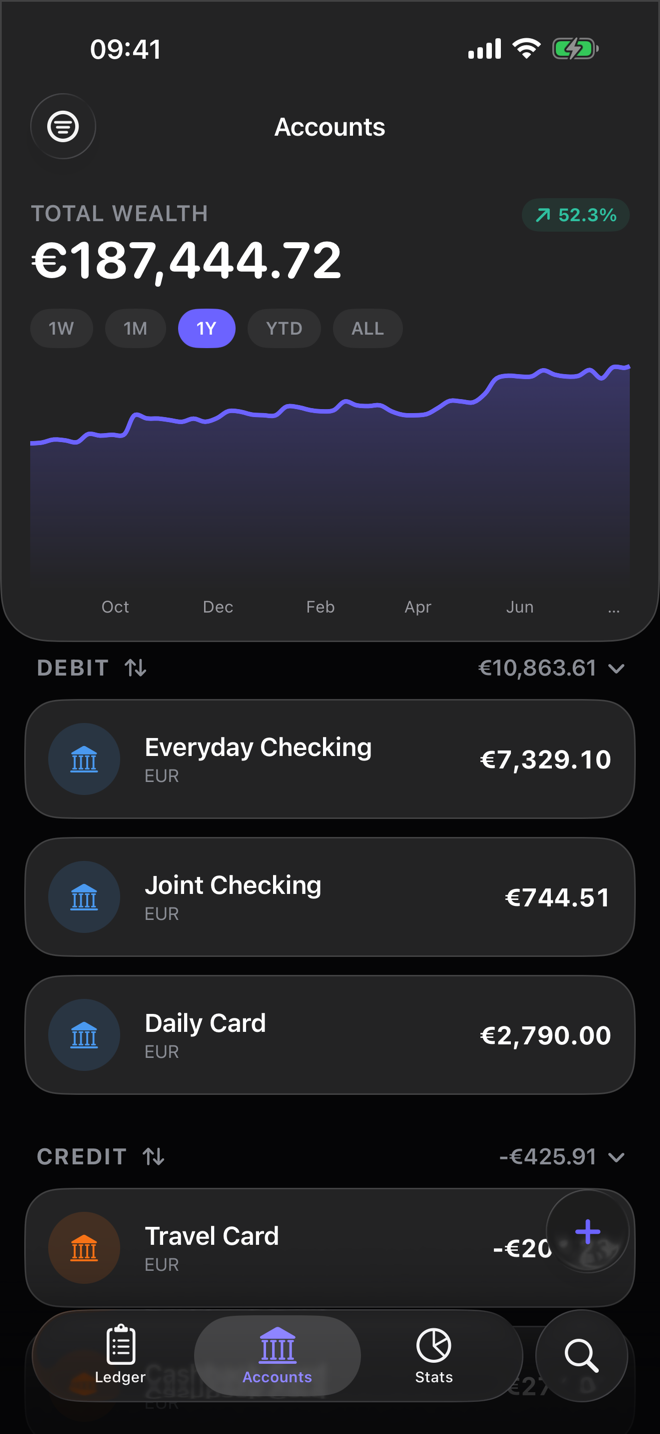
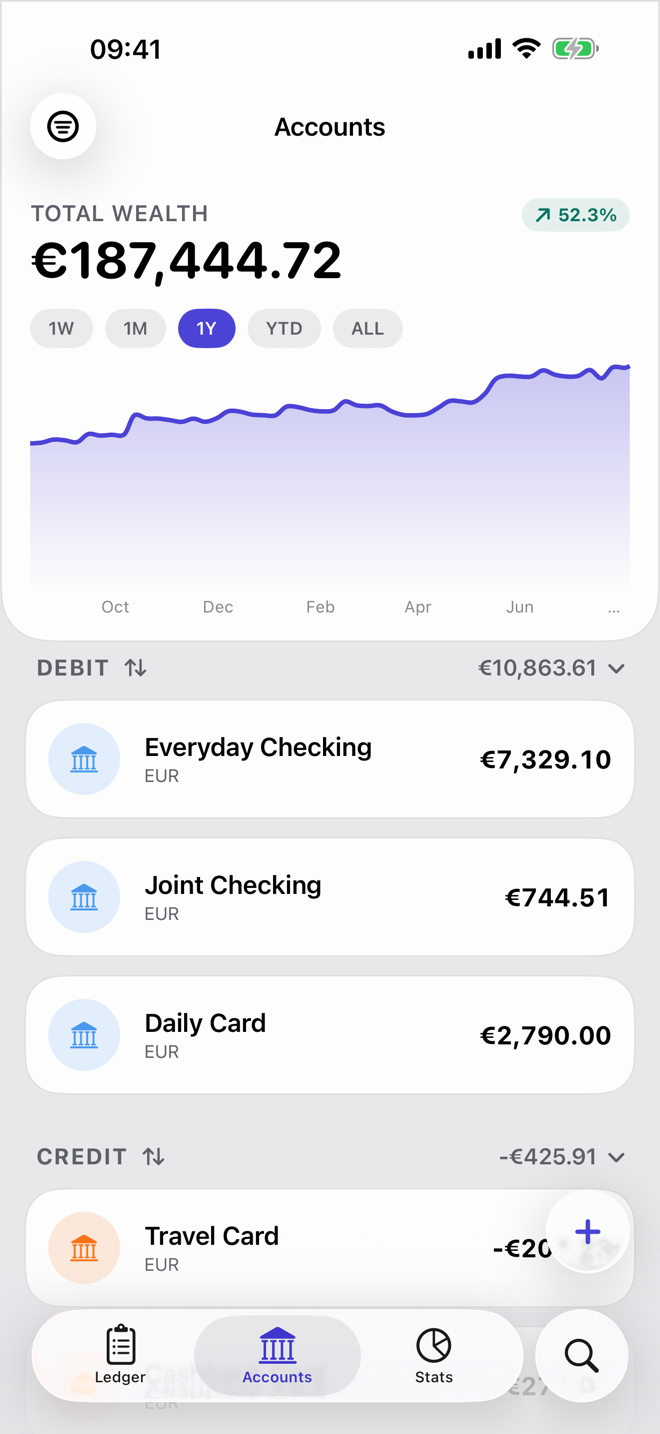
On the Accounts tab, set the Total Wealth chart to 1M. You see where your net worth ended up and how much it changed in percent. This number picks up what the other two miss, like investments moving or a credit card balance you paid down.

One negative month isn't a crisis. December, with presents and a flight home, will often come out negative. Three negative months in a row are worth a closer look, and the category screen usually shows you where to start.
With Dribs Pro: your savings rate
The Savings card in Insights shows what share of your income ended up in savings. Dribs takes the net change in your savings accounts, including any interest paid into them, and divides it by the income that came in from outside. Under the rate you see the change against the month before and your average for the year so far, which matters more than any single month.
Then change one thing
A review only pays off if something changes afterwards. Pick one thing for the coming month and keep it small. If a category surprised you, give it a monthly limit in the Budgets tab, which is free and shows how much is left as the month goes on. If saving keeps losing to everything else, set up a repeating transfer to your savings account for the day after payday.
Then close the app. The point of five minutes is that it's short enough to actually do every month.

Try it in Dribs
Insights, budgets and the Total Wealth chart are all in the free version. Free on the App Store for iPhone and iPad.
