Dribs 1.7: now on the Mac
Dribs now runs on the Mac and stays in sync with your iPhone. CSV imports suggest categories, and the iPhone gets a Tracking widget.

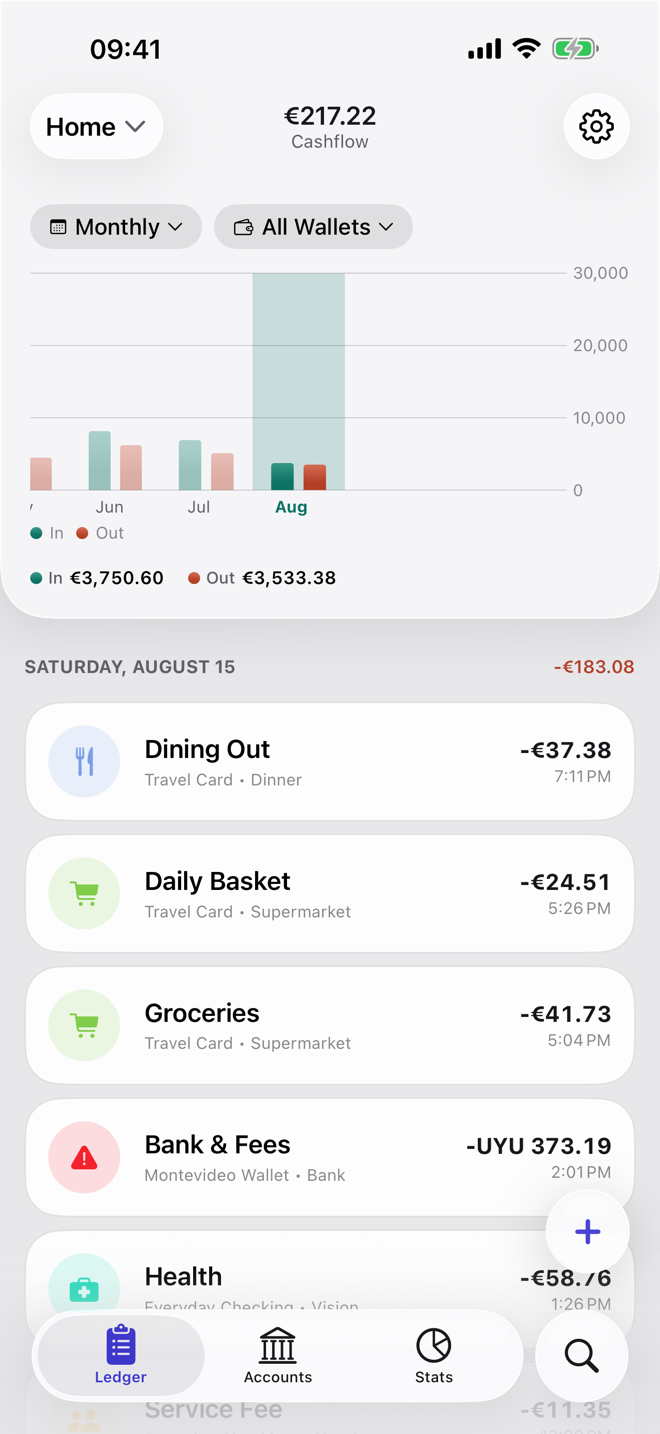
Dribs is on the Mac. It's the same app with the same data: log a coffee on your iPhone, and it's in the ledger on your Mac by the time you sit down. Version 1.7 also suggests categories when you import a bank statement, and adds a widget on iPhone.
Your money on a bigger screen
Logging is a phone job. It takes a few seconds, wherever you are. Looking back is different. Going through the month, comparing categories in Insights, checking a budget, or tidying up the transactions you filed in a hurry is easier when you can see it all at once.
That's what the Mac app is for. Accounts, budgets, Insights, search, investments and shared ledgers are all there. You also get a keyboard: ⌘N adds a transaction, and the amount field does the math if you type 12.50+3.20.
In sync with your iPhone
There's no Dribs account to sign in to. Your Mac and your iPhone sync through your own iCloud: turn on iCloud Sync in Settings on both, and what you log on one shows up on the other. Your iPad can join too.
Category suggestions for CSV imports
Bank statements tend to get downloaded on a computer, so importing a CSV feels at home on the Mac. In 1.7 Dribs also suggests a category for each row, based on how you categorized similar transactions before. Suggested categories are marked, so you can see which ones to check before you import.
With iOS 27 or macOS 27 and Apple Intelligence turned on, Apple's on-device model fills in the rows your history doesn't cover. It runs on your device, and your transactions don't leave it.
Also new on iPhone
- Tracking widget. A grid of days on your Home Screen, shaded by what you logged, that changes color the longer it's been since you last logged something. On a day with nothing to log, tap Nothing to log today and it counts. You can add one stat, like transactions this month, and none of the stats show an amount. There are Lock Screen versions too.
- Repeat suggestions. When you log something with the same description and amount as in each of the last two months, Dribs asks whether it repeats every month, so you can turn on Repeat and stop typing it in.
- Dividends. On a position's Dividends screen, Monthly now shows the calendar year with a Year to date total, and Running total draws everything you've received since you started.
The Mac app needs macOS 26 or later. Like on iPhone, it's free, and Dribs Pro is one subscription for Mac, iPhone and iPad: if you already have Pro, your Mac has it too. Investments and dividends are part of Pro; the widget, the Repeat suggestions and the CSV category suggestions work in the free version.

Get Dribs 1.7
Free on the App Store for Mac, iPhone and iPad. Shared ledgers, investments and advanced Insights come with the optional Dribs Pro subscription.
